![Sprockets-Logo-Icon.png]](https://hiring.sprockets.ai/hs-fs/hubfs/Sprockets-Logo-Icon.png?height=40&name=Sprockets-Logo-Icon.png)
Use this guide to understand how this integration supports your Sprockets workflow and what to confirm during setup.
What to know
With ADP, you can include the Sprockets Survey in a message that automatically gets sent to your incoming candidates.
What this article covers
- ✓How Sprockets works with ADP.
- ✓Where to add or send the Sprockets survey link.
- ✓How to confirm candidates can move through your hiring workflow.
Automatically Send Candidates the Sprockets Survey
- ✓Login to ADP
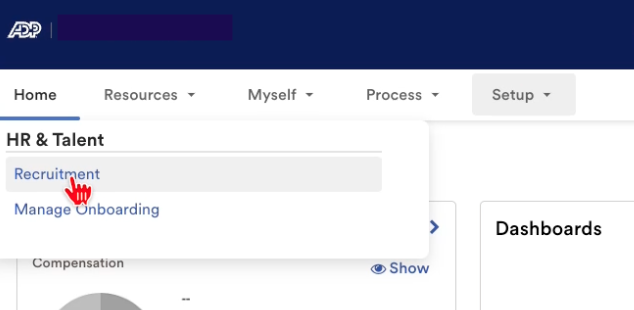
- ✓Click the Setup tab to open this dropdown, and select Recruitment .
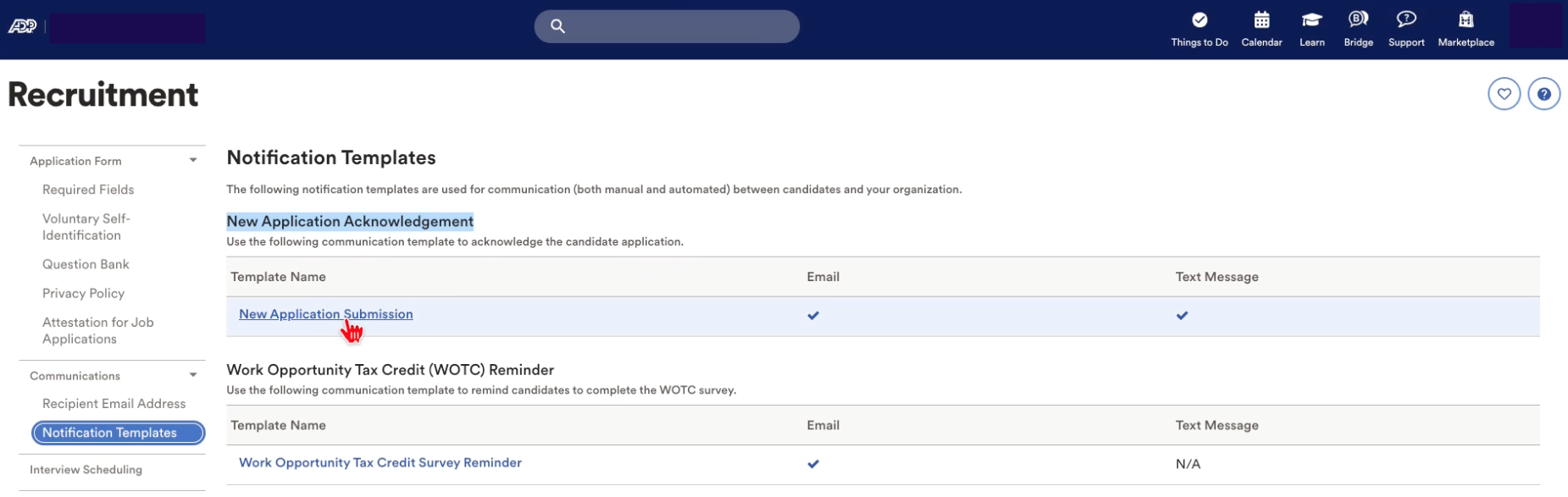
- ✓This will bring you to the Recruitment page. Click on the Notification Templates tab on the left-hand side of your screen. Then click New Application Submission .
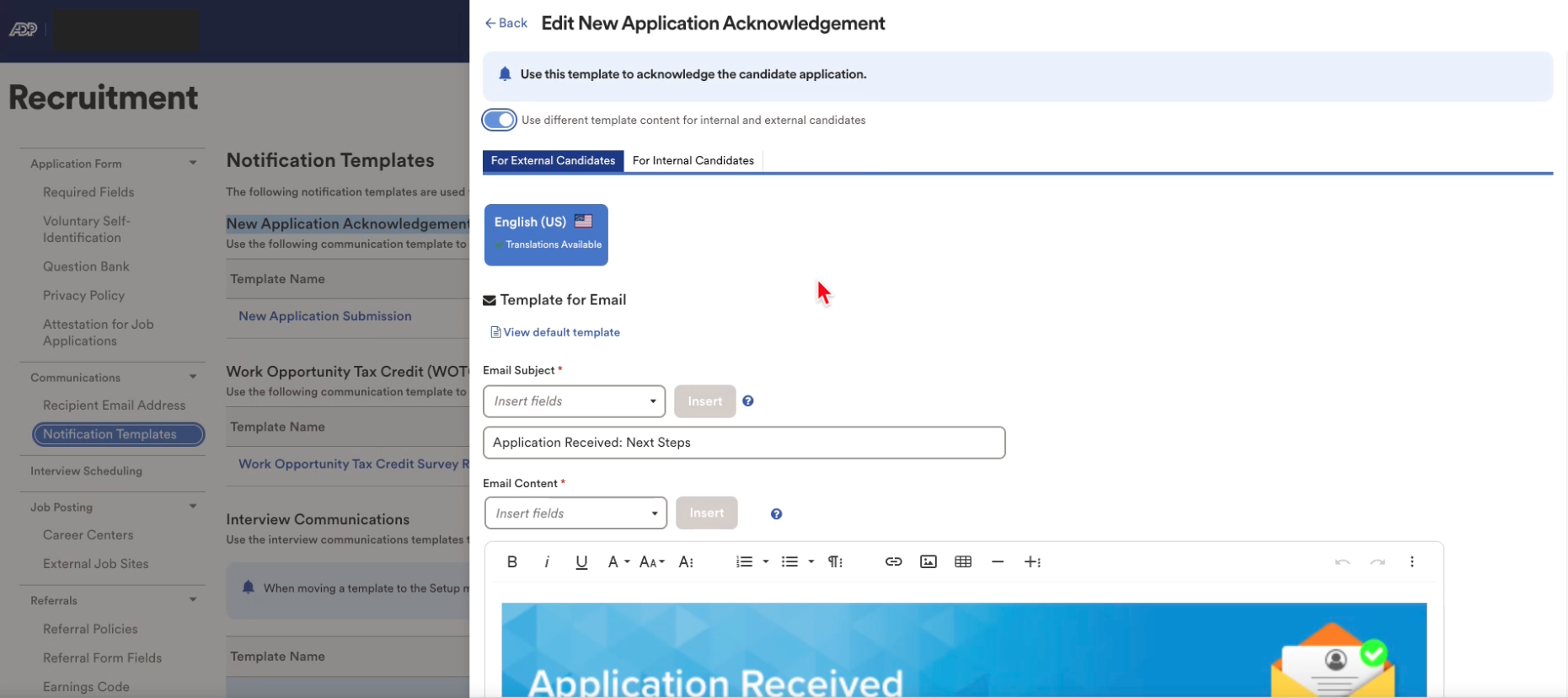
- ✓From here you will see a popup appear on the right-hand side of your screen.
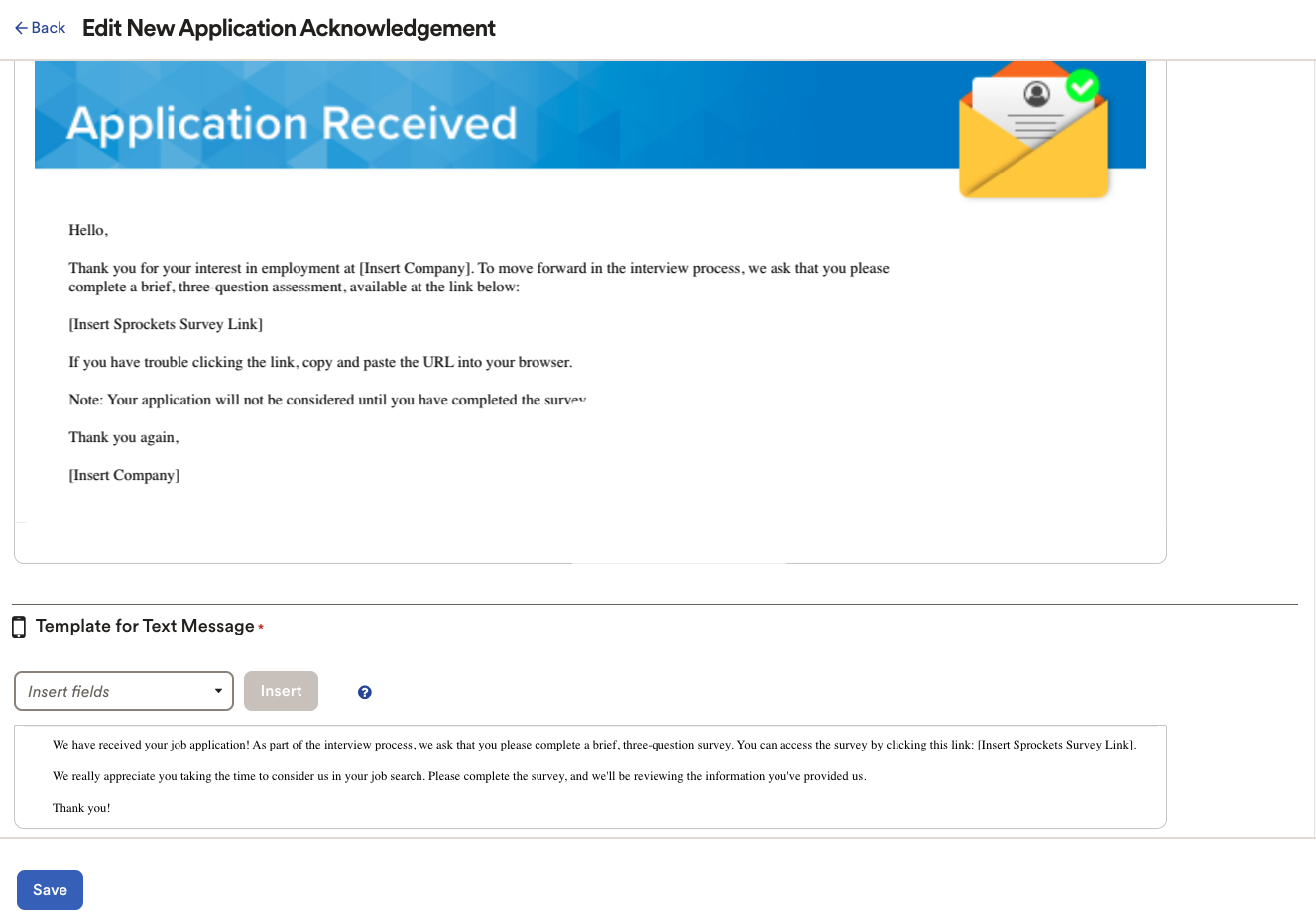
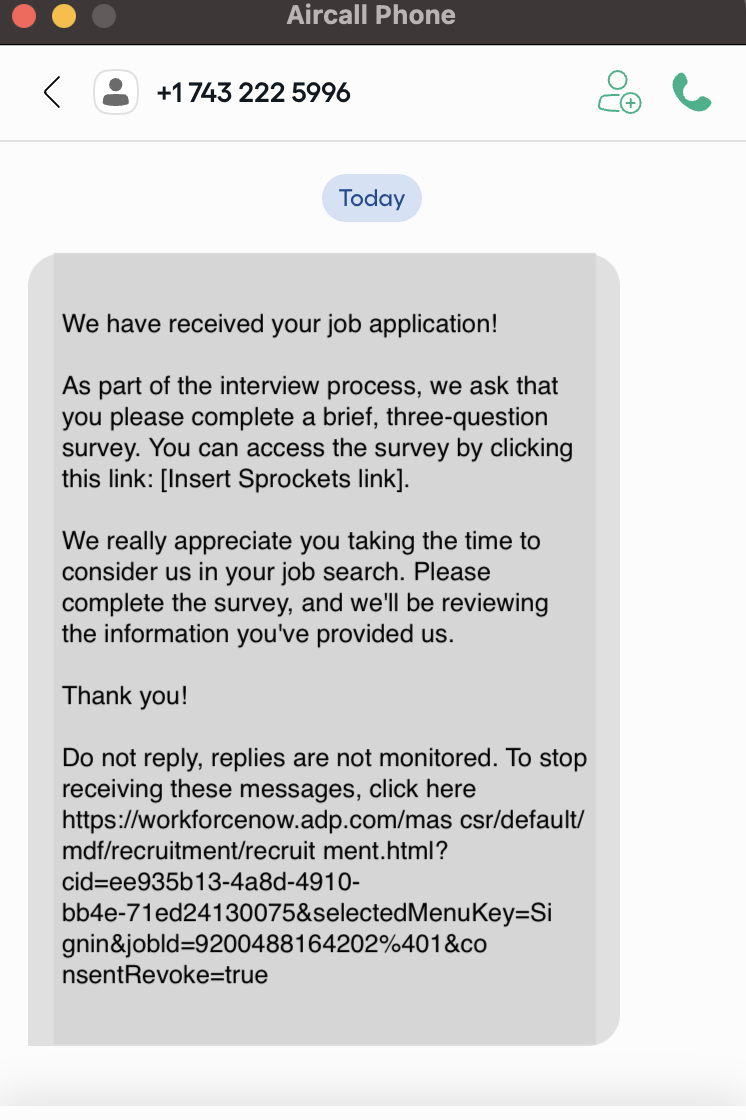
- ✓Use this pop up to insert the following messages into the email and text templates. Email Template: "Hello, Thank you for your interest in employment at [Insert Company]. To move forward in the interview process, we ask that you please complete a brief, three-question assessment, available at the link below: [Insert Sprockets Survey Link] If you have trouble clicking the link, copy and paste the URL into your browser. Note: Your application will not be considered until you have completed the survey. Thank you again, [Insert Company]" Text Template: "We have received your job application! As part of the interview process, we ask that you please complete a brief, three-question survey. You can access the survey by clicking this link: [Insert Sprockets Survey Link]. We really appreciate you taking the time to consider us in your job search. Please complete the survey, and we'll be reviewing the information you've provided us. Thank you!”
NOTE: ADP is configured to send this message template to all incoming candidates. If certain locations or positions are not set up within your Sprockets account and therefore do not require the candidate to complete the Sprockets Survey, we suggest adding the following line to the above message:
"If the location or position that you have applied for is not listed in the Survey options, then it is not required for you to complete a Survey for that location or position."
How the Sprockets Message Templates Deliver with ADP
Once an candidate submits their application via ADP, they will immediately receive the Sprockets Survey (via the template above) to the email and phone number they provided on their application.
Example of what the candidate will receive via email:
-1-1-3.png)
Example of what the candidate will receive via text:
Need help?
If you are unsure which link, source ID, or setup option to use, contact your Sprockets support team before updating live candidate workflows.
Related Articles
- ✓Integrations Overview
- ✓How Sprockets Connects With Your Existing Systems
- ✓UKG Integration