![Sprockets-Logo-Icon.png]](https://hiring.sprockets.ai/hs-fs/hubfs/Sprockets-Logo-Icon.png?height=40&name=Sprockets-Logo-Icon.png)
Use this guide to understand how this integration supports your Sprockets workflow and what to confirm during setup.
What to know
Make Life Easier With a Seamless Connection Between the Two Platforms
Set up the Integration
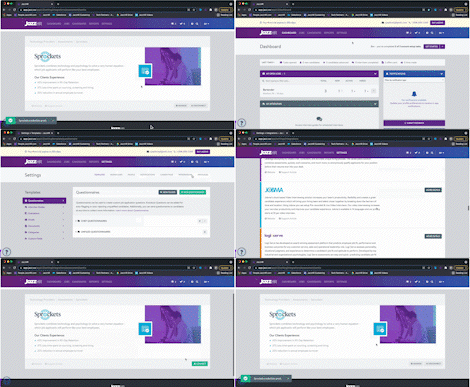
Send Sprockets Assessment from the Candidate Profile
Once you have Sprockets connected with JazzHR, head to a candidate profile to start sending Sprockets assessments to candidates. From there:
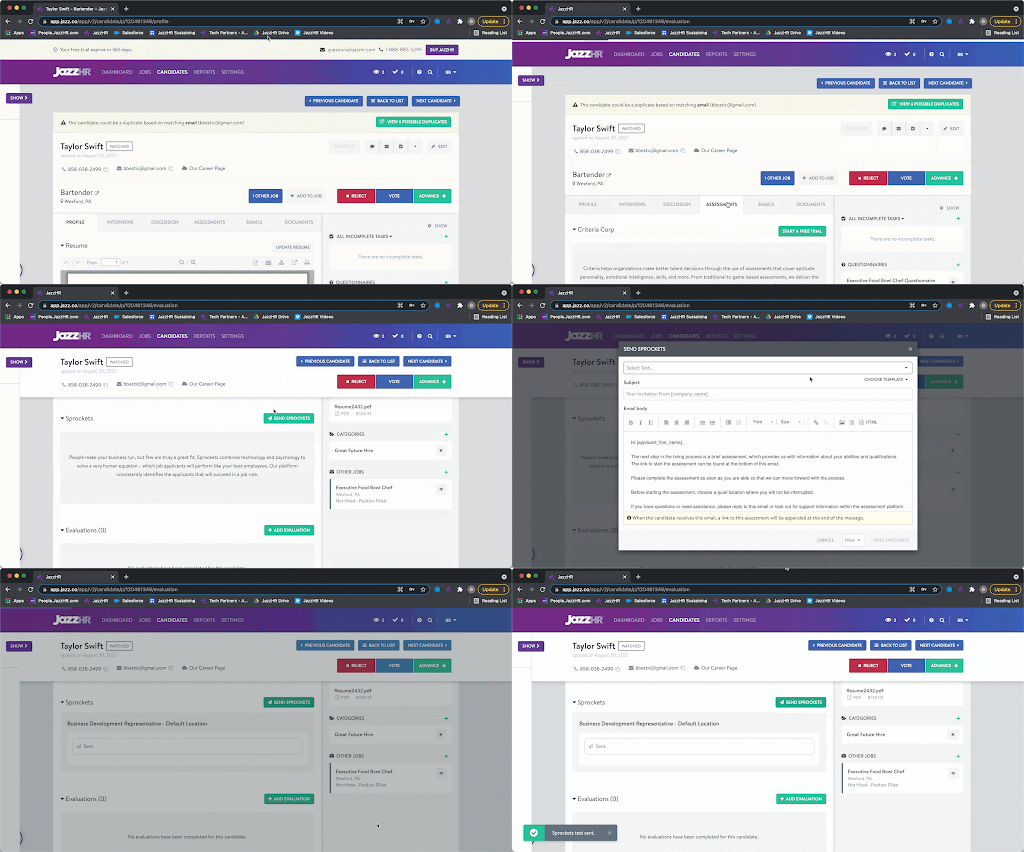
Add Sprockets Assessment as a Workflow Helper
Add Sprockets into your job-specific Workflow to automate blind candidate screening. To add Sprockets as a Workflow Helper:
Note: This must be done at the job level. You will not be able to add a Sprockets Workflow Helper on a Workflow Template. Assessment Workflow Helpers are job-specific because Sprockets assessments are linked on a job-by-job basis.
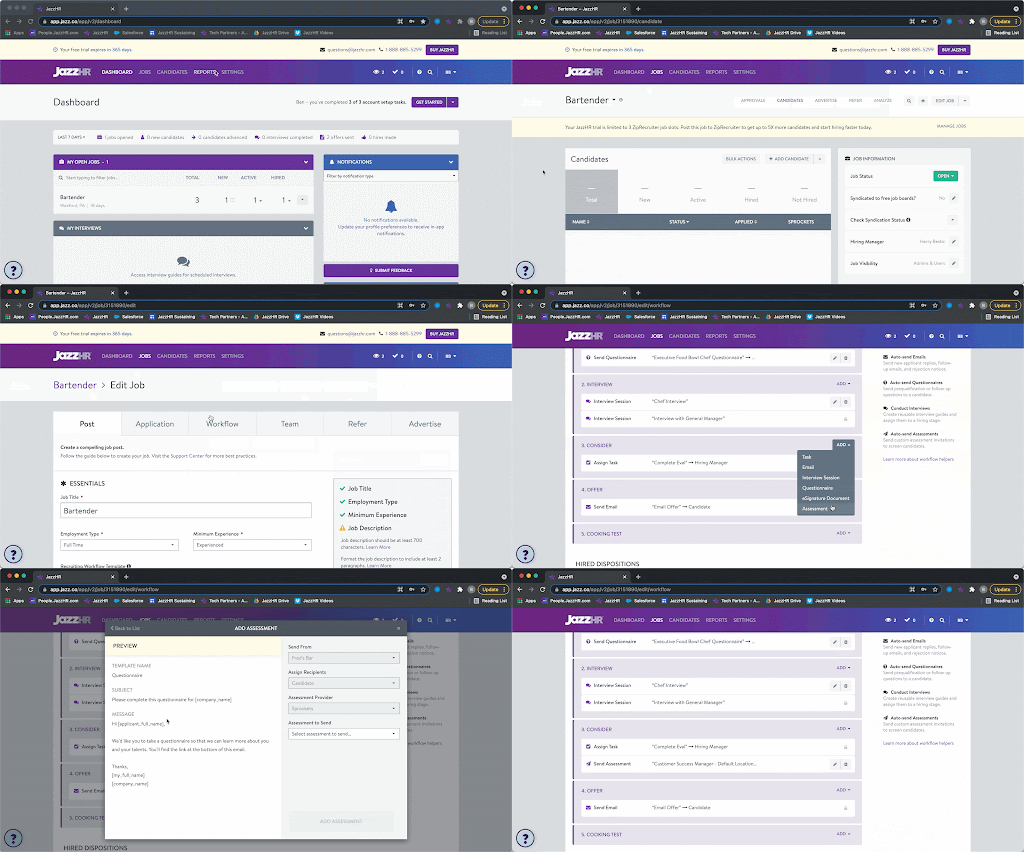
Once you add any candidate(s) into this stage, you'll be prompted to send the Sprockets assessment.
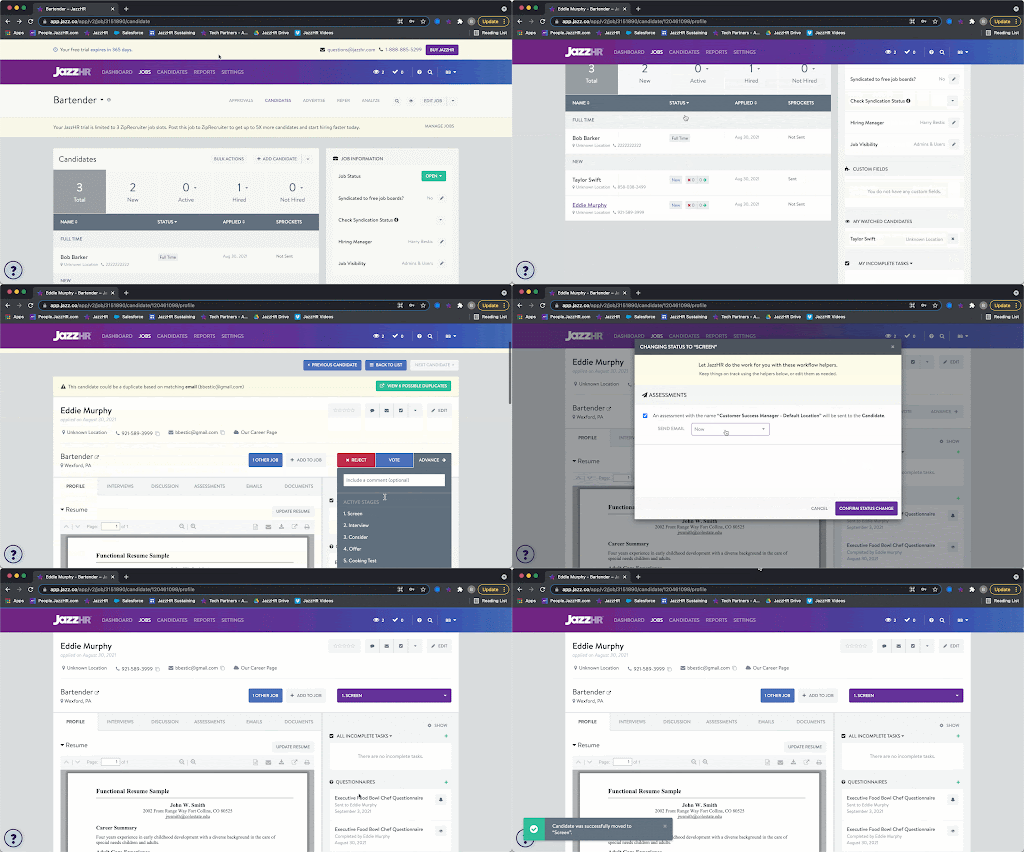
Candidates will receive invitations with a link to complete the assessment appended at the bottom.
View Sprockets Results
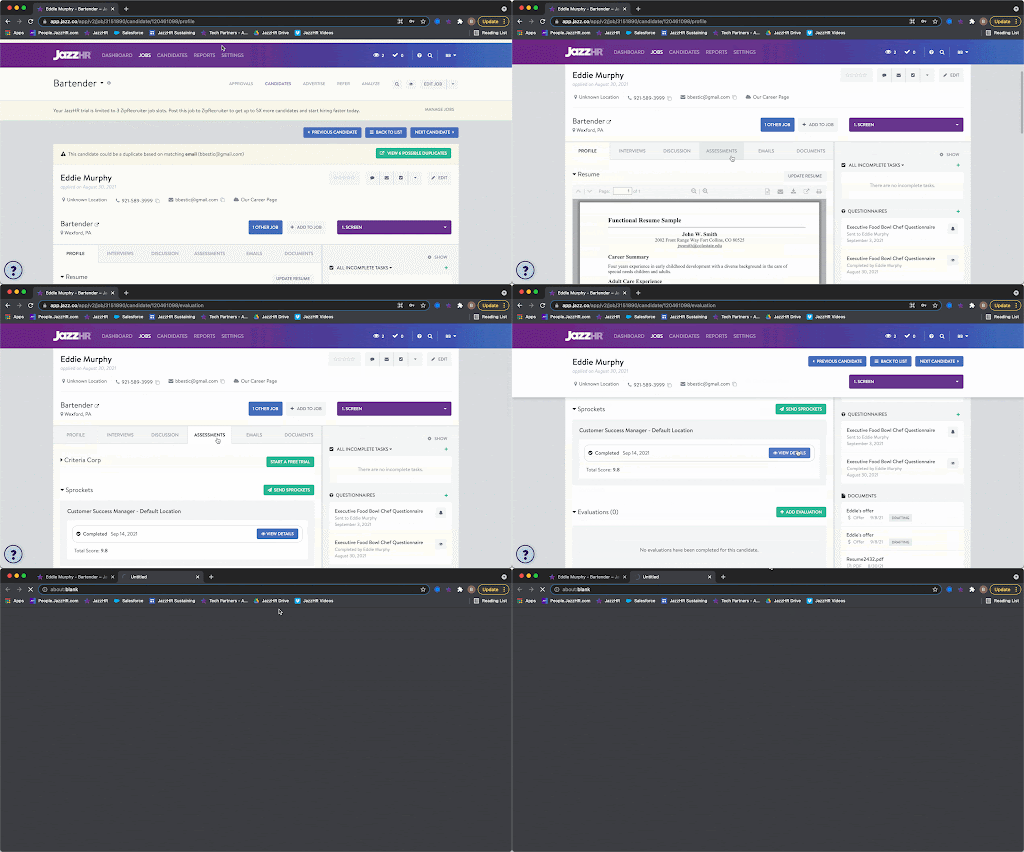
Once a candidate has completed the test, a summary of his/her results will be stored on the Assessments tab of the candidate profile.
Click View Details to view results.
Related Articles
- ✓Integrations Overview
- ✓How Sprockets Connects With Your Existing Systems