![Sprockets-Logo-Icon.png]](https://hiring.sprockets.ai/hs-fs/hubfs/Sprockets-Logo-Icon.png?height=40&name=Sprockets-Logo-Icon.png)
Syncing your Google Calendar with Sprockets helps ensure interviews are only scheduled when you're truly available.
What this article covers
- How Sprockets works with Outlook Calendar.
- Where to add or send the Sprockets survey link.
- How to confirm applicants can move through your hiring workflow.
Steps
Sprockets will avoid booking interviews over any events marked as busy on your connected Outlook Calendar. Just follow the quick steps below to get set up.
Admins: Turn On Calendar Conflict Checking
To make sure Sprockets respects busy times on connected calendars, an admin must first enable a setting:
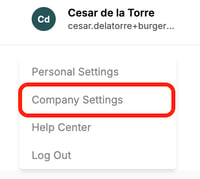
- Click your name in the top-right corner of your Sprockets account. Select Company Settings from the dropdown (admin access required).
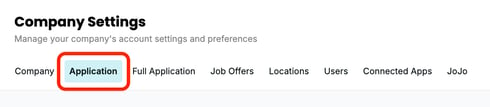
- Click on the Application tab.
- Toggle on Check Connected Calendars for Conflicts Before Scheduling an Interview then click Save.
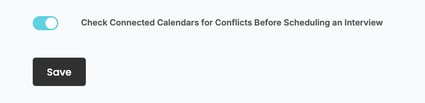
This ensures Sprockets checks for calendar conflicts before scheduling interviews.
Hiring Managers: Connect Your Outlook Calendar
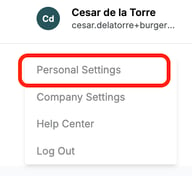
- Click your name in the top-right corner of your Sprockets account. Select Personal Settings from the dropdown.
- In the Personal Settings menu, go to the Calendar tab. Click the Connect Calendar button.
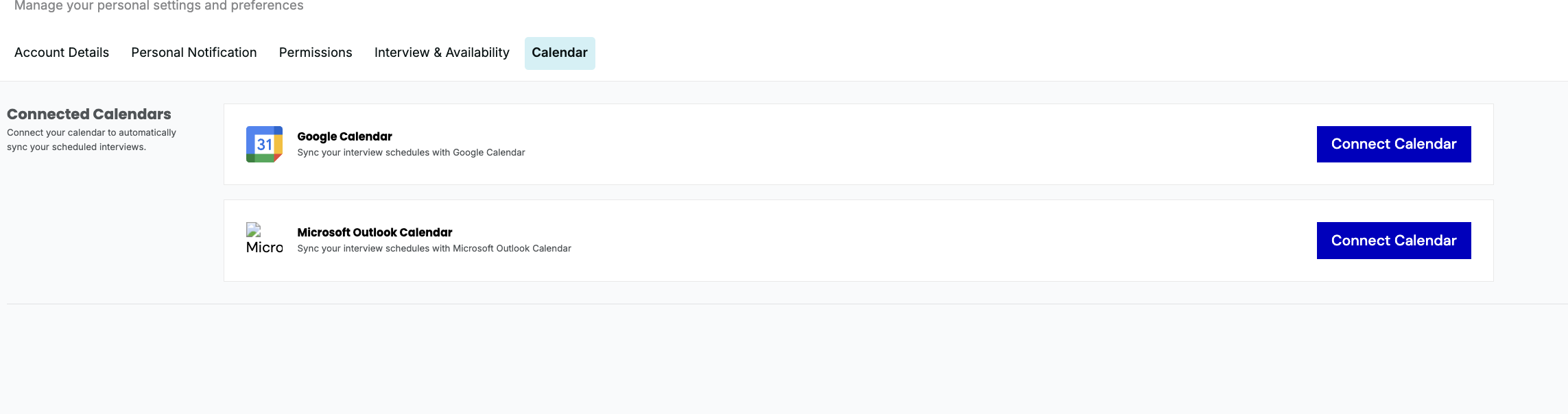
- Follow the prompts to sign in with your Outlook account and authorize the connection.
Don’t Forget: Set Your Interview Availability
While Sprockets will avoid conflicts with existing busy calendar events, it won’t pull in your available time from Outlook Calendar.
To let Sprockets know when you're available for interviews, make sure to set your schedule: How to Set Your Interview Schedule in Sprockets.
Need help?
If you are unsure which link, source ID, or setup option to use, contact your Sprockets support team before updating live applicant workflows.