![Sprockets-Logo-Icon.png]](https://hiring.sprockets.ai/hs-fs/hubfs/Sprockets-Logo-Icon.png?height=40&name=Sprockets-Logo-Icon.png)
Make Life Easier With a Seamless Connection Between the Two Platforms
What this article covers
- How Sprockets works with JazzHR.
- Where to add or send the Sprockets survey link.
- How to confirm applicants can move through your hiring workflow.
Steps
Integrations · ATS & Job BoardsHow to Integrate Sprockets With JazzHR
Make Life Easier With a Seamless Connection Between the Two Platforms
Set up the Integration
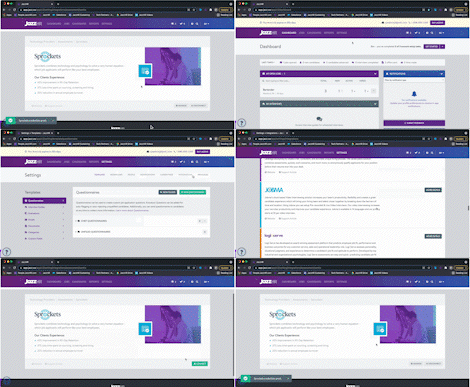
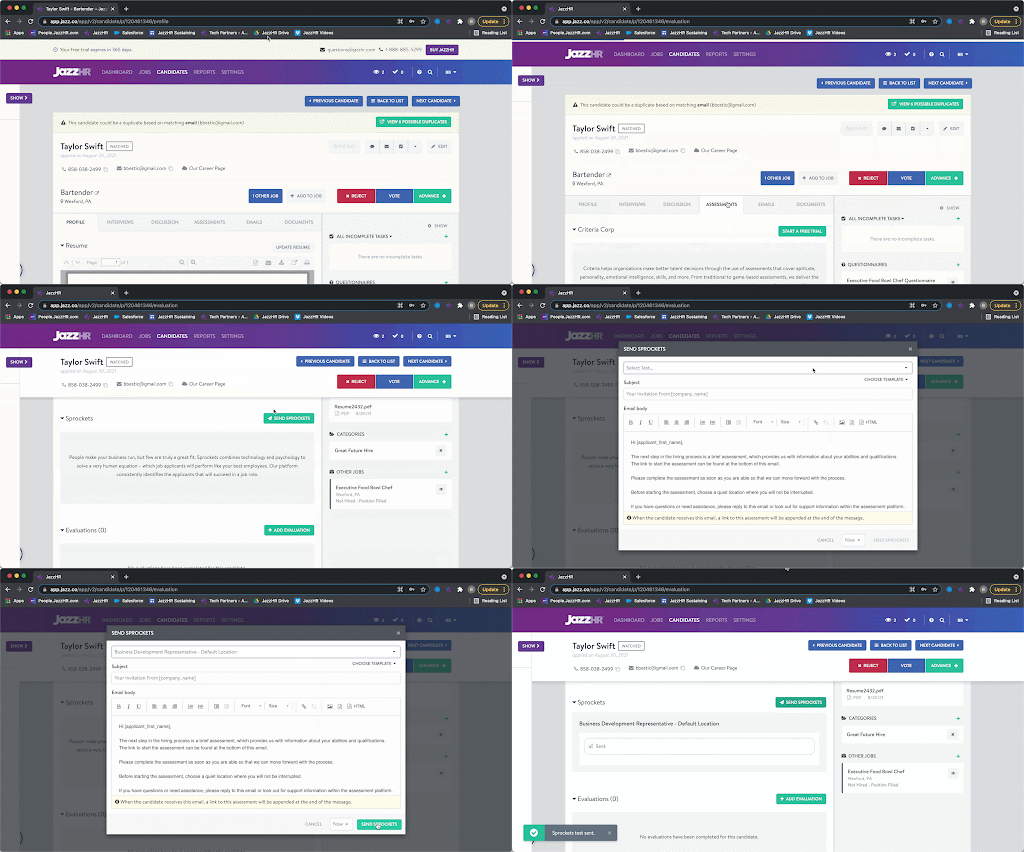
Send Sprockets Assessment from the Candidate Profile
Once you have Sprockets connected with JazzHR, head to a candidate profile to start sending Sprockets assessments to candidates. From there:
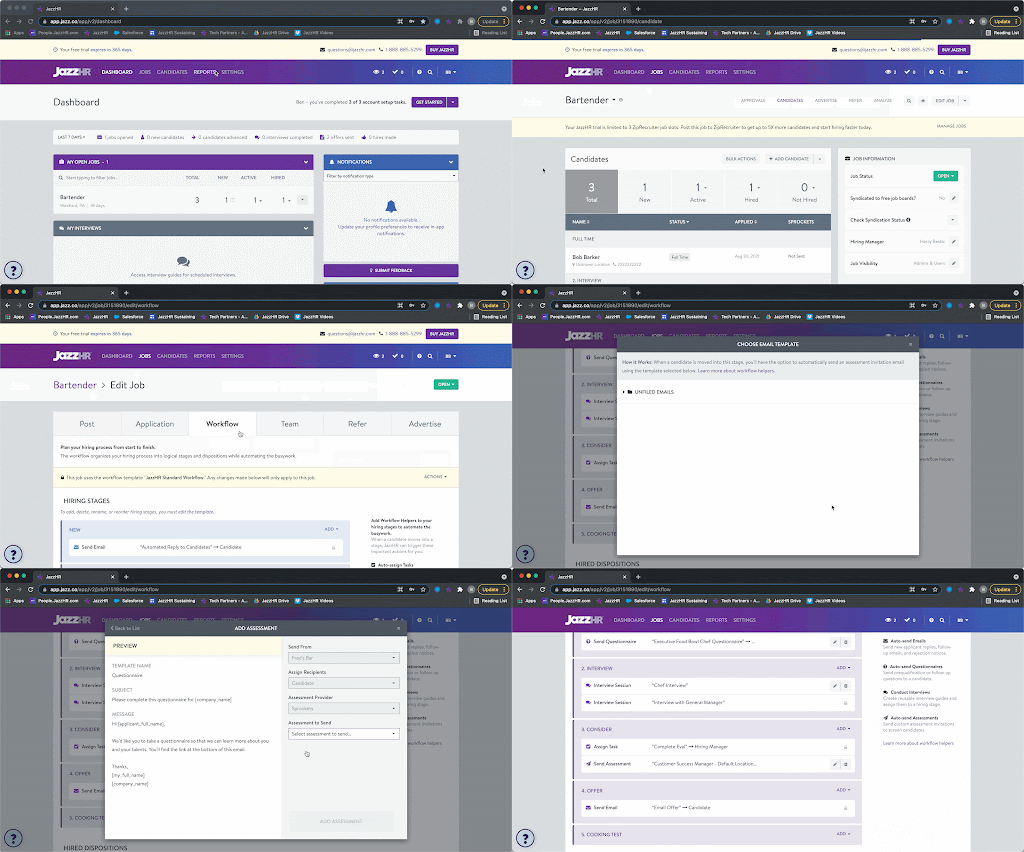
Add Sprockets Assessment as a Workflow Helper
Add Sprockets into your job-specific Workflow to automate blind candidate screening. To add Sprockets as a Workflow Helper:
Note: This must be done at the job level. You will not be able to add a Sprockets Workflow Helper on a Workflow Template. Assessment Workflow Helpers are job-specific because Sprockets assessments are linked on a job-by-job basis.
Once you add any candidate(s) into this stage, you'll be prompted to send the Sprockets assessment.
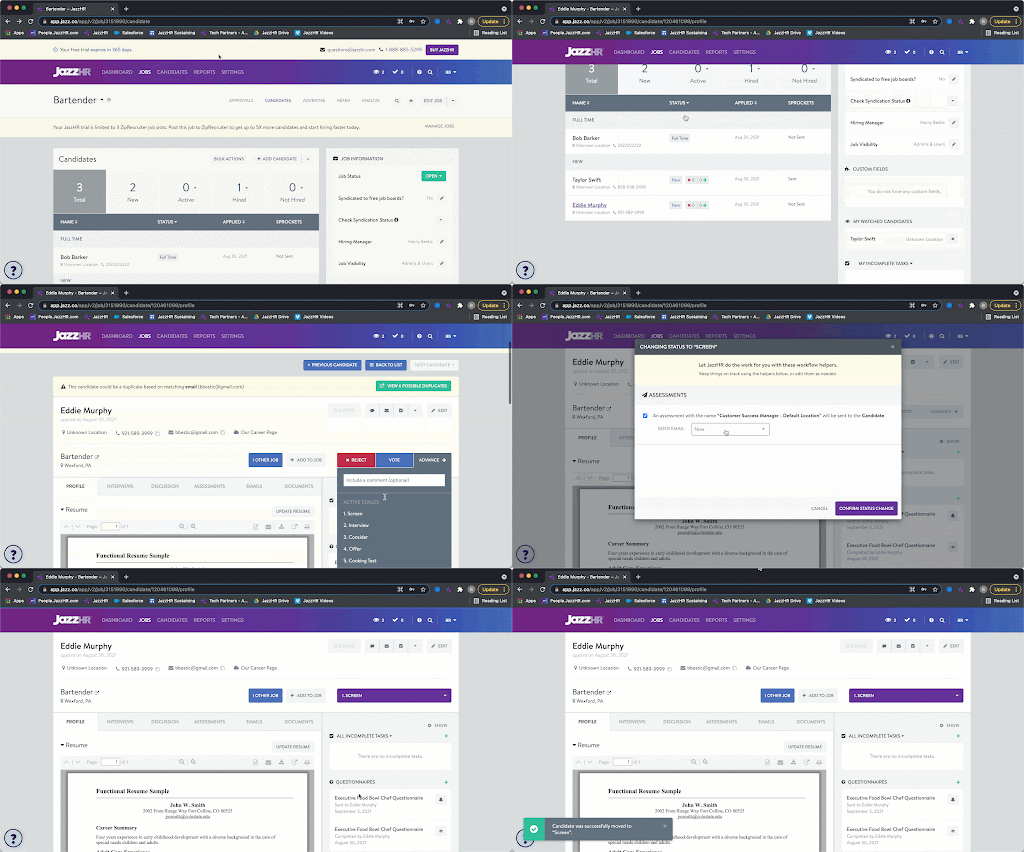
Candidates will receive invitations with a link to complete the assessment appended at the bottom.
View Sprockets Results
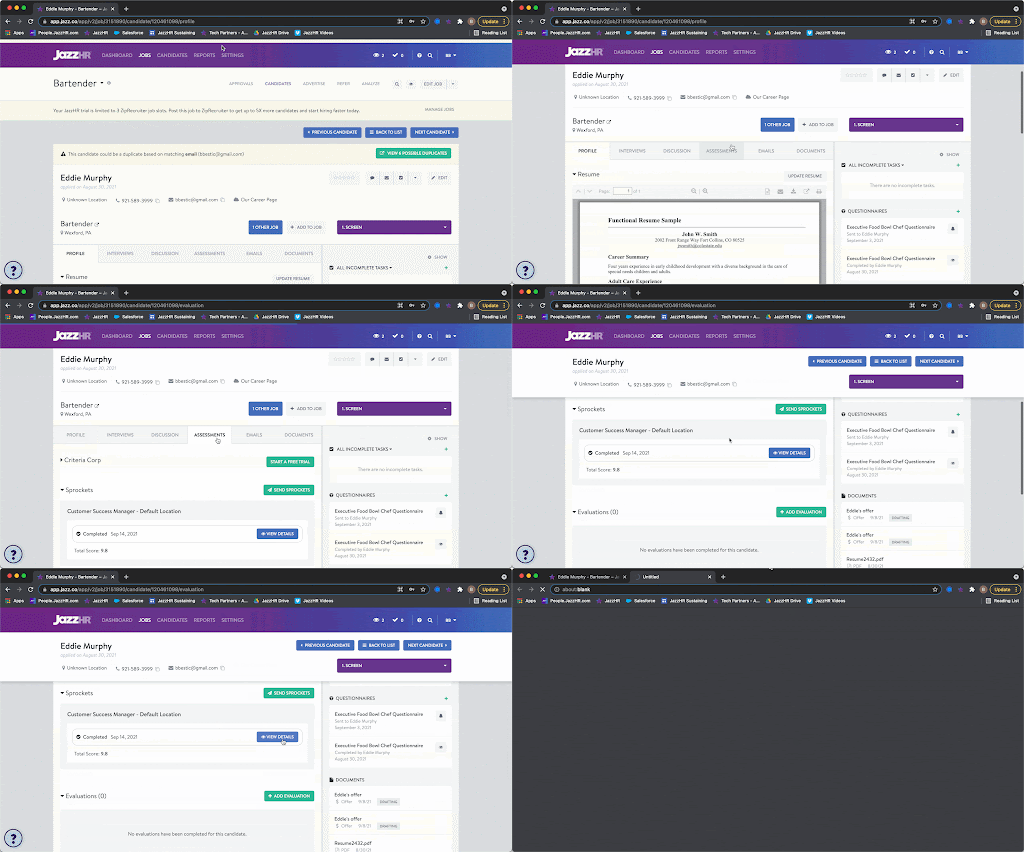
Once a candidate has completed the test, a summary of his/her results will be stored on the Assessments tab of the candidate profile.
Click View Details to view results.
Need help?
If you are unsure which link, source ID, or setup option to use, contact your Sprockets support team before updating live applicant workflows.