![Sprockets-Logo-Icon.png]](https://hiring.sprockets.ai/hs-fs/hubfs/Sprockets-Logo-Icon.png?height=40&name=Sprockets-Logo-Icon.png)
Before you start
Make sure you are logged in to Sprockets and have the correct access for the location, job, or candidate you need to manage.
Confirm the candidate has actually been invited
Confirm the candidate has actually been invited to schedule an interview.
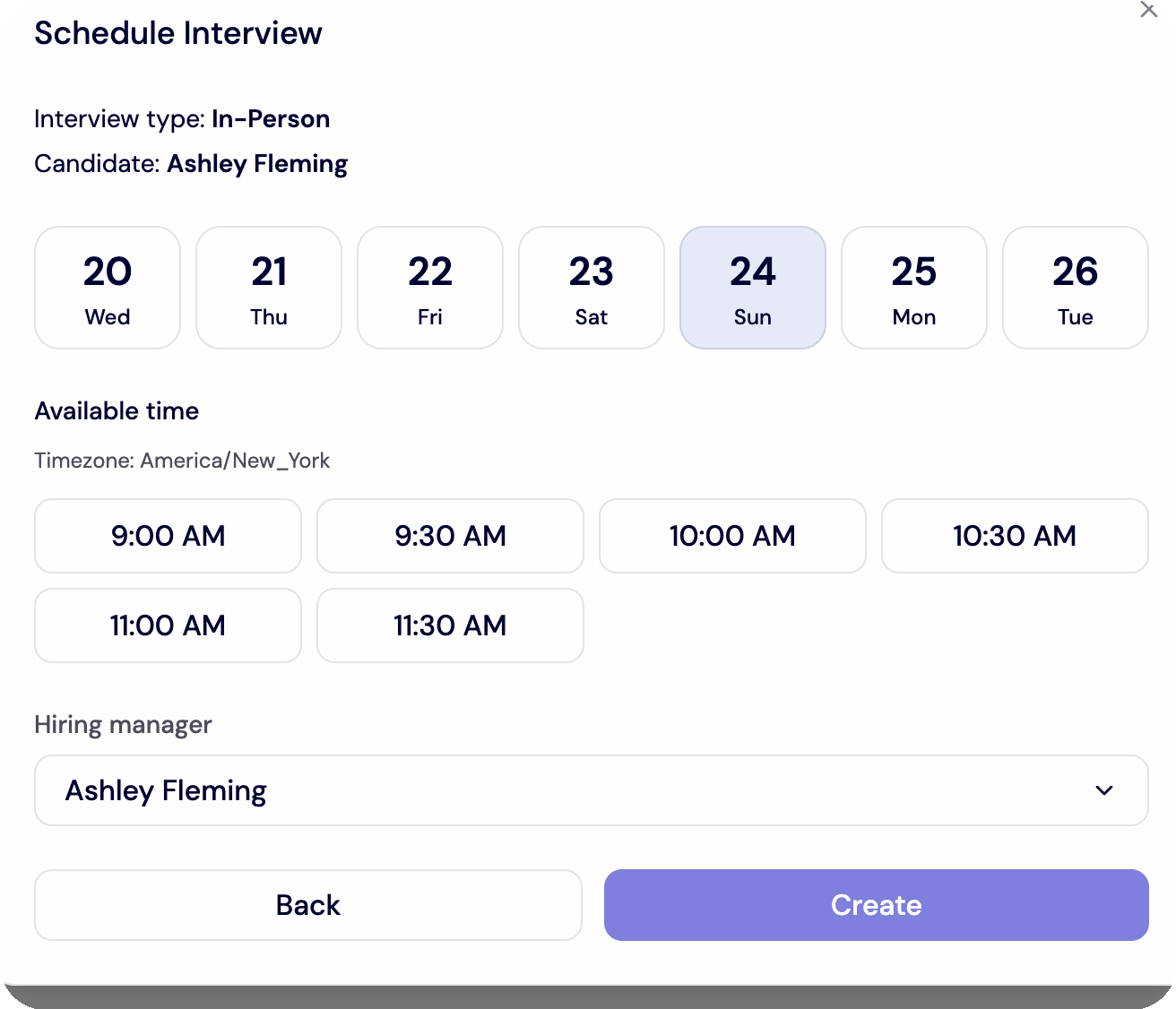
Check whether the assigned hiring manager has
Check whether the assigned hiring manager has availability for the next available scheduling window.
Confirm interview scheduling is enabled in the
Confirm interview scheduling is enabled in the hiring manager’s Personal Settings.
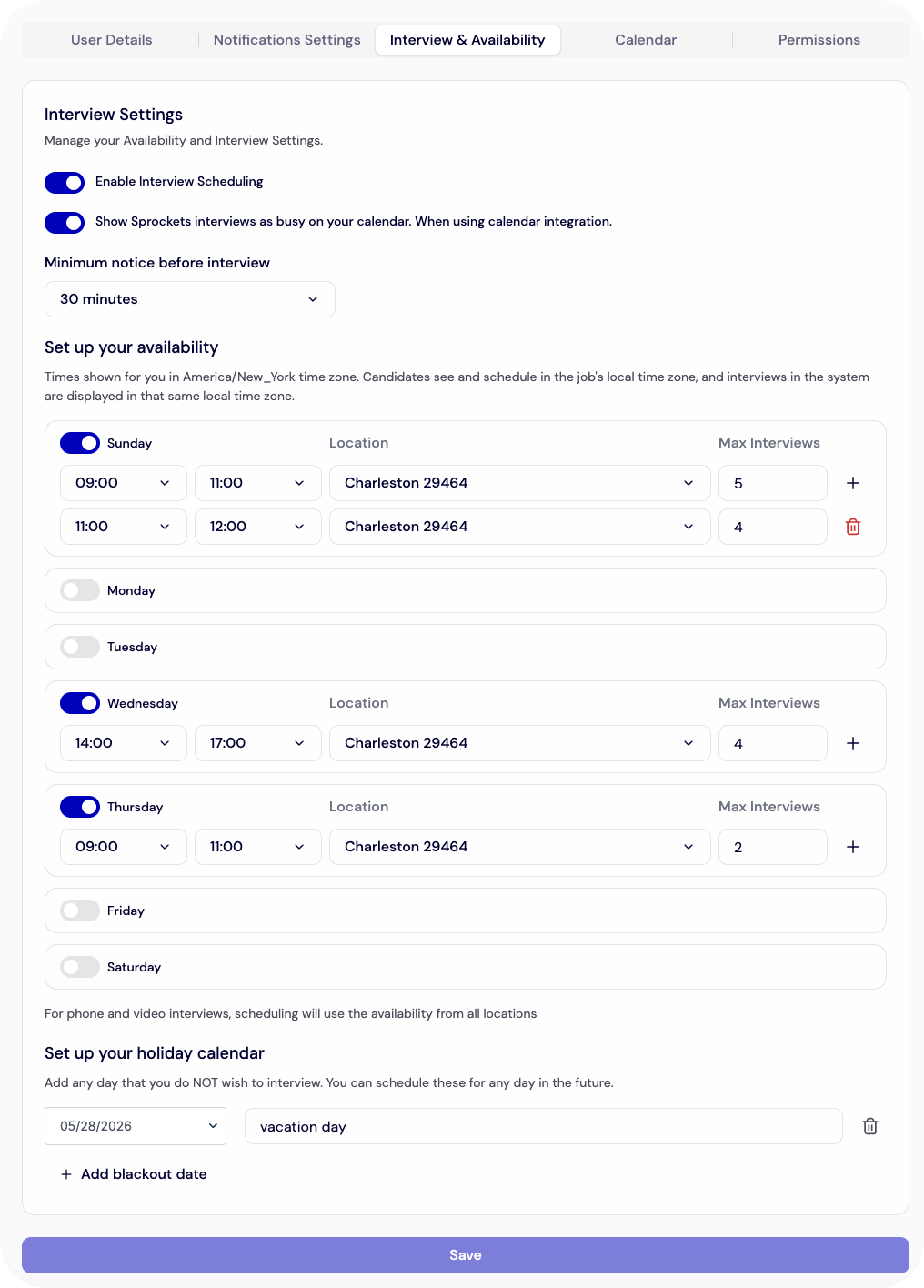
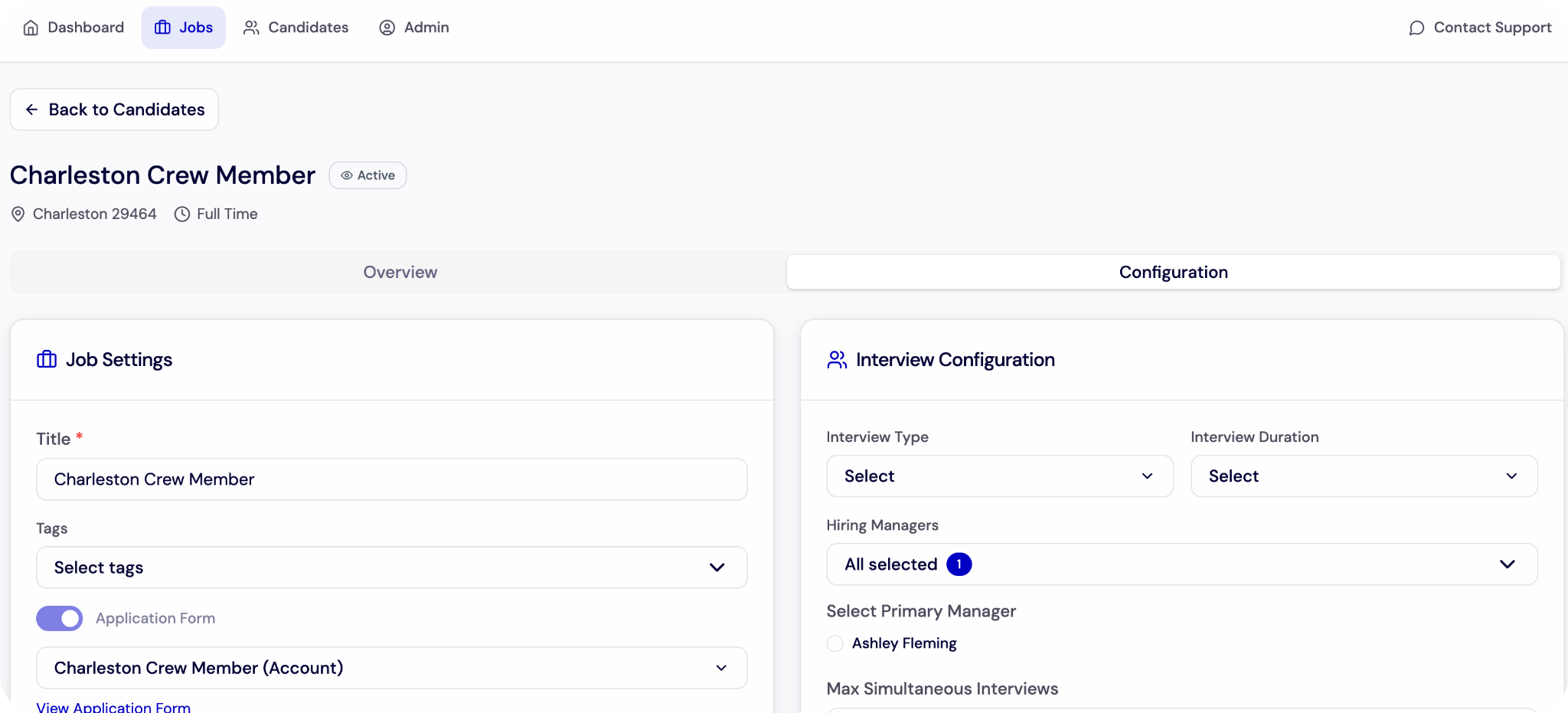
Confirm auto
Confirm auto-scheduling is enabled on the job if the job should schedule automatically.
Check whether the candidate was knocked out
Check whether the candidate was knocked out by required criteria.
Ask the candidate
Ask the candidate to try again or clear browser history if the issue appears technical.
Sprockets books interviews within a rolling one
Sprockets books interviews within a rolling one-week window, so availability opens as days pass.
For in
For in-person interviews, make sure the availability block is tied to the correct location.
What to check before you move on
- ✓The update is saved successfully.
- ✓The correct users, locations, jobs, or candidates are selected.
- ✓Any related automation, notification, or scheduling settings are turned on where needed.